Google Ad Grants Requirements: The Compliance Checklist
By Mike Krieg · Updated October 23, 2026
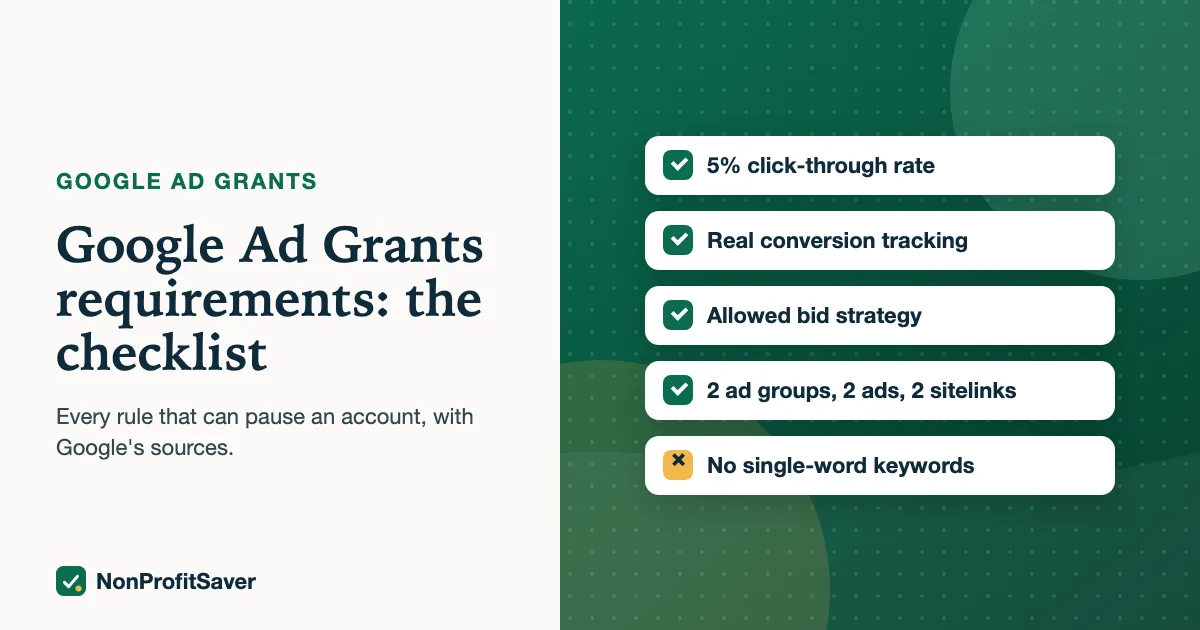
Google Ad Grants accounts must meet a short list of rules every month, and Google says accounts that break them can be suspended without notification. As of October 2026 the rules are in Google's program policies and its compliance guide. This page lists each one, what it means in practice, and how to check it.
Account performance
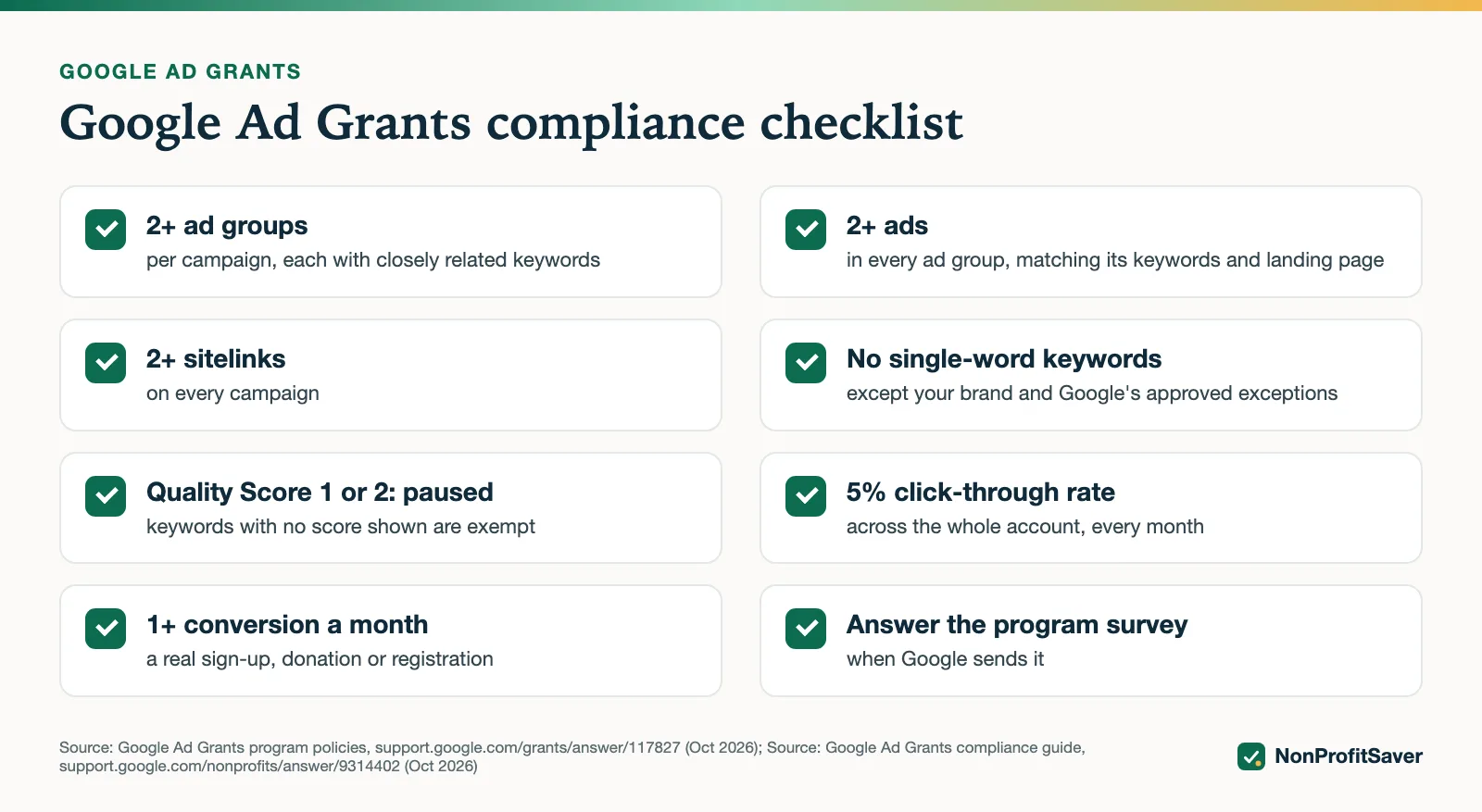
5% click-through rate. At least 5% of your ad impressions must become clicks each month, measured across the whole account. Missing it two months in a row can get the account temporarily deactivated.
How to keep it: pause keywords with many impressions and few clicks; put the searcher's own words in your first headline; land each ad group on the page that answers it. Google's compliance guide suggests using the last 7 active days when reviewing which keywords to pause.
One exemption: the policy's wording is that accounts "that are not exclusively using Smart campaigns" must keep 5%. An account running only Smart campaigns isn't held to it; an Expert Mode account with standard search campaigns is. Details and a worked example: the 5% CTR rule.
Conversion tracking
Accounts created since January 2018, and any account using Smart bidding, need valid conversion tracking and at least 1 conversion a month.
The conversion must mean something: a sign-up, donation, registration or purchase. Page views and time on site don't count and belong in the "Other" category. If your clicks nearly equal your conversions, Google treats that as a sign the tracking is wrong. Count one conversion per sign-up.
The account management policy adds that accounts created on or after 22 April 2019 need at least one qualifying conversion type set up that records at least 1 conversion a month. Google's conversion setup guide (as of October 2026) says tracked phone calls must last at least 30 seconds to count.
Setup: Ad Grants conversion tracking with GA4.
Bidding
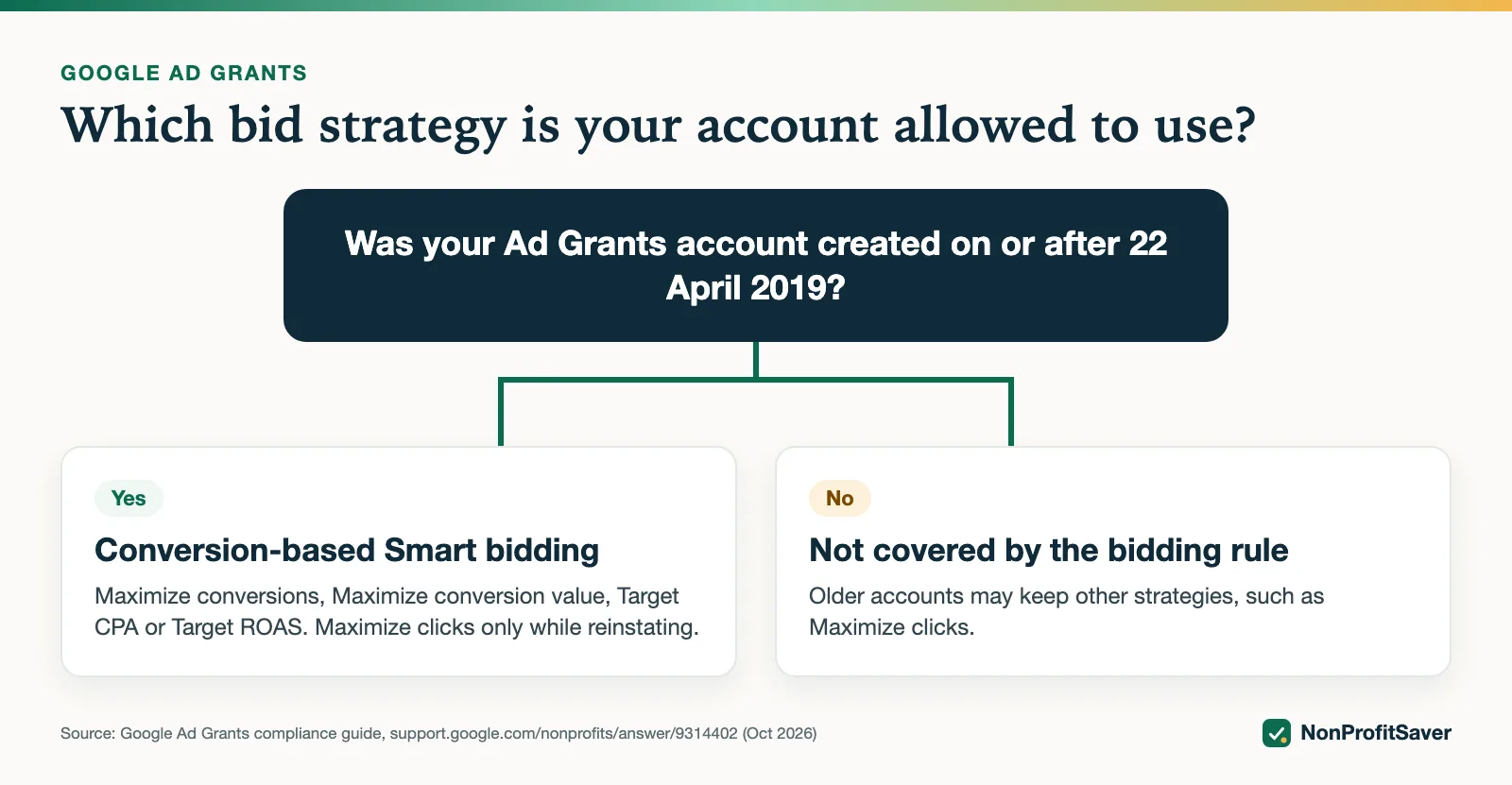
Accounts created on or after 22 April 2019 must use conversion-based Smart bidding on every campaign: Maximize conversions, Maximize conversion value, Target CPA or Target ROAS. Google may change a non-compliant campaign's bid strategy automatically.
Maximize clicks is allowed while reinstating a deactivated account, so you can rebuild click-through rate; switch back to conversion-based bidding once you have enough conversions (Google suggests about 15 to 30 in the last 30 days). Accounts created before 22 April 2019 are not covered by the bidding rule.
There's also a limit per click. Google's tips for success page refers to a "program-level $2.00 USD max bid" and says Maximize conversions, Target CPA and Target ROAS can bid above it when the account's performance merits it (as of October 2026). Strategy choice in depth: Ad Grants bidding.
Keywords
- Quality Score 1 or 2: pause or remove. Keywords with no score shown (a dash) are exempt.
- Single-word keywords: not allowed, except your brand and approved exceptions.
- Overly generic keywords: pause or remove keywords that don't show what the searcher wants (Google's examples: "free videos", "e-books", "today's news").
The fine print, from Google's mission-based campaigns policy and single keyword exceptions, as of October 2026:
- The exceptions are your own brand words, recognized medical conditions and acronyms, plus ten listed words: charity, charities, donate, donation, ngo, ngos, nonprofit, nonprofits, volunteer, volunteering.
- Terms with dashes, periods or special characters aren't treated as single words.
- Names of organizations, places or people on their own count as too generic. Google's allowed example is "museums in [your city name]"; the city name alone isn't allowed.
- Every keyword must reflect your organization's primary mission.
- Google can pause keywords automatically without notice. Changes show in the account's Change history, and Google provides a form to appeal a change you think was a mistake.
To find single-word keywords, the compliance guide uses a filter: in the keywords view, filter on keyword text that does not contain a space. To see Quality Score, add the Quality Score column to the keywords table. Choosing keywords that pass: Ad Grants keywords.
Account structure
- At least 2 ad groups per campaign, each with closely related keywords.
- At least 2 ads per ad group, matching those keywords and the landing page.
- At least 2 sitelinks.
- Location targeting set to the places you serve.
Google's policy explains the location rule: an organization with local services should target its local area, while a national or wide-reach organization may target more broadly. The sitelink rule is for at least 2 unique sitelinks.
A worked example from our own side: Storyline' Spanish SENT campaign, posted on 23 October 2026, has 4 ad groups (the rule is at least 2), 8 ads across those ad groups (at least 2 in each), and 4 sitelinks (at least 2). It also has 38 keywords and 29 negative keywords. Storyline's account was created in December 2017, so the April 2019 bidding rule doesn't apply to it. We can show it meets the structure rules; it has no results to show yet.
Website
Your landing pages fall under Google's website policy (as of October 2026): your nonprofit owns the domain; the whole site uses HTTPS; there's substantial original content about your mission; selling, if any, isn't the main focus and you explain how proceeds support your programs; no excessive third-party ads such as AdSense; donation links work and go to a secure page dedicated to donations; no broken links or empty pages. More: Ad Grants landing pages.
Program engagement
Answer Google's program survey when it arrives.
The compliance guide says the survey is annual and goes to the login email addresses on the account, and that if Google says it's still incomplete you should resubmit it with the correct customer ID.
Repeat problems
Google's deactivated account page says that an organization that repeatedly breaks program policies may have its account cancelled and removed from the program. Google lets you fix a deactivation and request reinstatement; repeating it is how an account can lose the grant for good.
The checklist
Before you build:
- Google for Nonprofits verified; Ad Grants activated in the account Google provides; no billing entered
- A meaningful conversion imported and set as primary; tested with your own sign-up
Every campaign:
- Bid strategy allowed for your account's creation date
- 2+ ad groups, 2+ ads each, 2+ sitelinks
- No single-word or overly generic keywords; locations you serve
- Each ad group lands on the page that answers it
Every week:
- Account click-through rate this month at 5% or more
- At least 1 conversion this month, not nearly equal to clicks
- Quality Score 1 and 2 keywords paused
- Off-intent search terms added as negatives
Whenever Google asks: answer the survey; fix and reinstate if deactivated.
A printable version of this checklist is in our Google Ad Grants Kit ($97 once, early access; sales haven't opened yet), with a campaign builder that refuses anything that breaks these rules. You can run the same checks by hand from Google's pages above.
Frequently asked questions
What happens if I break the Ad Grants rules?
Google says accounts in violation are subject to automatic suspension without notification. Missing the 5% click-through rate for two consecutive months can lead to temporary deactivation.
Is the 5% CTR per keyword or per account?
Per account. Google measures it across the whole account each month, not keyword by keyword.
Are single-word keywords allowed in Ad Grants?
No, except your own brand keywords and a few approved exceptions such as certain medical conditions. Overly generic keywords must also be paused or removed.
Related guides
- Google Ad Grants for Nonprofits: How It Works, the Rules and the Catch
- Google Ad Grants for Churches: Who Qualifies and What Paperwork Works
- How to Apply for Google Ad Grants, Step by Step
- Ad Grants Conversion Tracking with GA4, Step by Step
This guide is general information, not legal, tax, or financial advice. Prices change; see each linked source. Report a correction.