Google Ad Grants Keywords: The Rules and How to Pick Ones That Work
By Mike Krieg · Updated October 23, 2026
A Google Ad Grants keyword must be at least two words (with a few exceptions), specific enough to show what the searcher wants, and keep a Quality Score of 3 or higher. Pick multi-word phrases your pages genuinely answer, check them in Keyword Planner, use phrase and exact match, and group them so each ad group lands on one page.
This guide covers the keyword rules in detail, how to choose match types, how to research with Keyword Planner, and how to turn a keyword list into ad groups. The full account checklist is in Google Ad Grants requirements; this page goes deeper on keywords only.
The three keyword rules
Google's mission-based campaigns policy says, as of October 2026, that "each ad and keyword in your Ad Grants account must reflect your organization's primary mission" and be "specific enough to provide a good experience for the user". Three kinds of keyword break that rule.
1. Single-word keywords. Not allowed, except your own brand words, recognized medical conditions, acronyms, and a short list Google publishes on its single keyword exceptions page: charity, charities, donate, donation, ngo, ngos, nonprofit, nonprofits, volunteer and volunteering. Google notes that terms with dashes, periods or special characters are not treated as single words. That is not an invitation to write "bible-study" to get around the rule; it still has to be specific enough to pass the next test.
2. Overly generic keywords. Not allowed. Google's examples on the same policy page include "best videos", "cool apps", "e-books", "today's news", "easy yoga", "download games", "things to do" and "job alert", plus names of other organizations, places, historical events or people on their own. Its allowed examples are "museums in [your city name]", "emergency preparedness apps" and "YouTube video to learn English". The difference is intent: the allowed versions say what the person wants. Google says generic terms may be disapproved for "Unclear Relevance".
3. Quality Score 1 or 2. These keywords must be paused or removed, per Google's compliance guide. Quality Score runs from 1 to 10 and combines expected click-through rate, ad relevance and landing page experience (Google's Quality Score page). A dash means there isn't enough data yet, and the compliance guide says dashes are exempt.
Google enforces all three automatically. The mission-based policy says violating keywords "are subject to automatic status changes without notification", and you can see those changes in the account's Change history.
A catch in Google's own automated rule
The compliance guide suggests an automated rule that pauses low-quality keywords daily. As printed in October 2026, its instructions say to set the Quality Score condition to "> 3" with the action "Pause keywords". Read literally, that would pause every keyword scoring 4 or more, which is the opposite of what you want. Set the condition to Quality Score less than 3 (that is, 1 or 2). Then check the rule's first run in Change history to make sure it paused only what you meant.
Match types: why phrase and exact
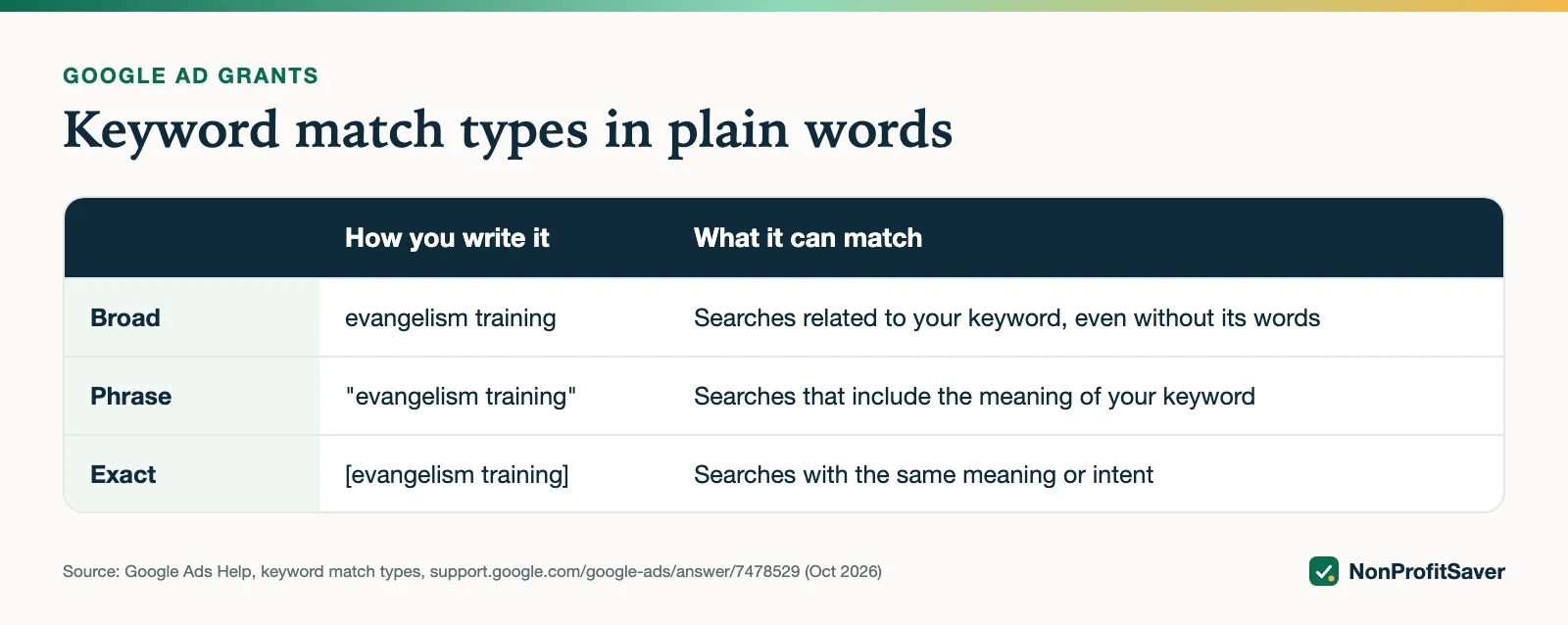
Google offers three match types (about keyword matching options):
| Match type | How you write it | What it can match |
|---|---|---|
| Broad | evangelism training | Searches "related to" your keyword, including ones without its words |
| Phrase | "evangelism training" | Searches that "include the meaning" of your keyword |
| Exact | [evangelism training] | Searches with "the same meaning or same intent" |
Broad is the default. Google's own Ad Grants tips show why that is risky for a grant: a broad match keyword "bears" for a bear conservation charity could show the ad on "chicago bears" and "berenstain bears video". Each of those impressions without a click lowers your account's click-through rate, and the grant requires 5% across the account each month (see the 5% CTR rule).
Our approach: phrase and exact match only, each keyword added in both. Phrase catches longer searches that contain your meaning ("how to share the gospel with a friend"); exact gives Google a clear signal for the core query. Note that both still match close variants, so the Search terms report still matters. How to read it: Ad Grants search terms and negative keywords.
Finding keywords with Keyword Planner
Keyword Planner is free inside Google Ads, under Tools (Google's Keyword Planner page). It has two entry points: "Discover new keywords" (enter words or a website) and "Get search volume and forecasts" (paste a list you already have). Google's page says you need to finish account setup and add billing information to use the basic features. A grant account has no billing, and Google doesn't say how that rule applies to grant accounts, so if the planner won't open for you, that is the likely reason.
A method that works:
- Write 5 to 8 seed phrases describing what your best pages answer, in your audience's words and language.
- Set the language and the locations you actually serve.
- Download the ideas as a CSV.
- Keep phrases a page of yours answers. Move phrases that want something else (jobs, a product, a different organization) to a negative keyword list.
- Drop single words and generic phrases now, before Google flags them.
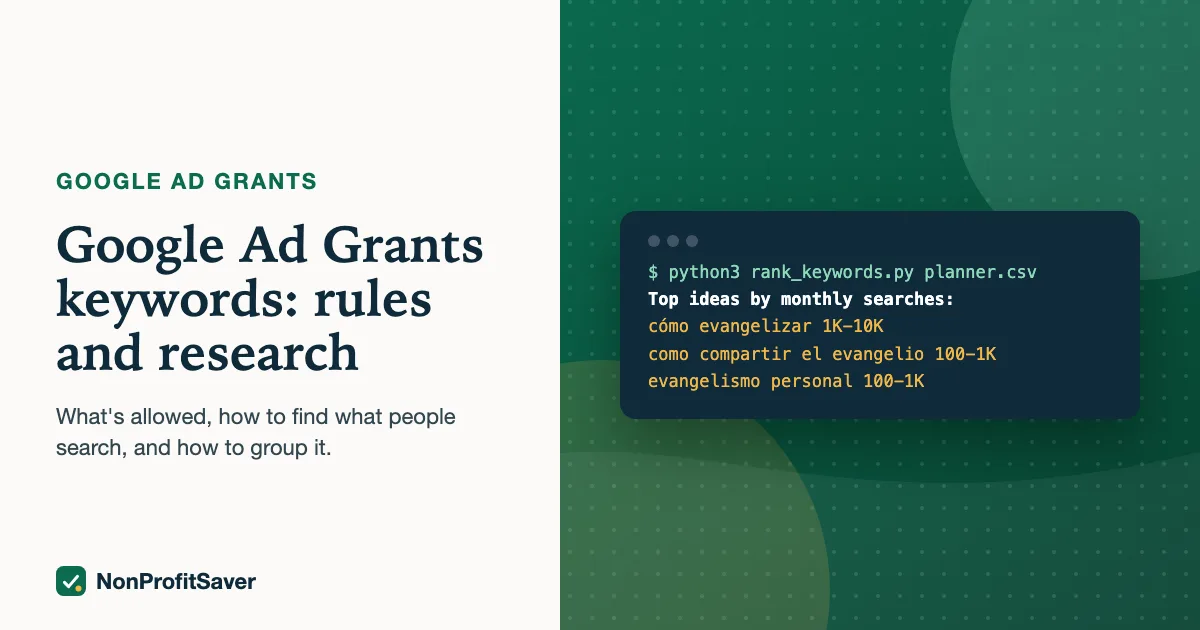
Our kit's rank_keywords.py sorts a Keyword Planner CSV for step 4; a spreadsheet sorted by "Avg. monthly searches" does the same job by hand.
Expect ranges, not exact numbers. Our exports showed volumes such as "100 to 1K" and "10 to 100" per keyword, so any total you add up is an estimate.
Worked example: one search, three languages
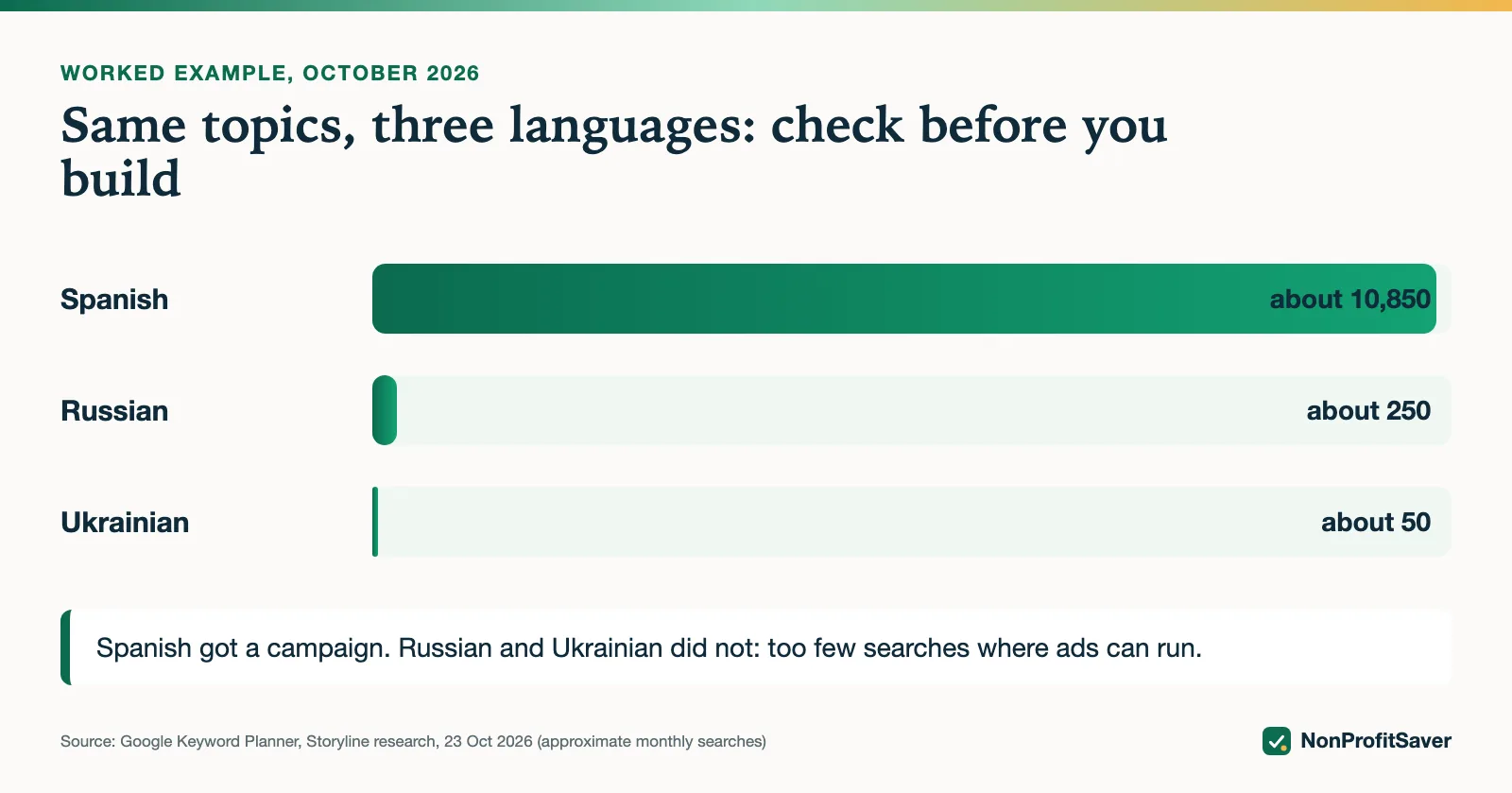
In October 2026 Storyline (the nonprofit that runs alongside NonProfitSaver) checked evangelism-training searches before building campaigns for its free app SENT. Using Keyword Planner's midpoints:
| Language | Keywords found | Approximate searches a month |
|---|---|---|
| Spanish | 105 | about 10,850 |
| Russian | 12 | about 250 |
| Ukrainian | 8 | about 50 |
Storyline built only the Spanish campaign. Russian and Ukrainian had too few searches to fill a campaign that must keep two ad groups, two ads per group and a 5% click-through rate. Checking volume before you build saves hours of work on campaigns that never show.
From keyword list to ad groups
Google's compliance guide asks for at least 2 ad groups per campaign, each with "highly relevant and tightly knit keywords" that align with its ads and landing page. In practice: one question per ad group, and one page that answers it.
Storyline's Spanish campaign, SENT (ES), has four ad groups:
| Ad group | Example keywords | Lands on |
|---|---|---|
| Cómo evangelizar | cómo evangelizar; cómo compartir el evangelio; evangelismo personal | Gospel conversation starters article |
| Guiar a alguien a Cristo | cómo guiar a alguien a cristo; como llevar a alguien a cristo | How to lead someone to Christ article |
| Campo misionero | campo misionero; cómo evangelizar a mi familia | Find your mission field article |
| Plan supremo de evangelización | plan supremo de evangelización; plan maestro de evangelismo | Master Plan of Evangelism article |
That is 19 keyword phrases, each added in phrase and exact match, so 38 keywords in the account. Three choices are worth copying:
- Spelling variants as separate keywords. "cómo evangelizar" and "como evangelizar" both appear, because many people type Spanish without accents.
- No single words. "evangelismo" alone would be a single-word keyword and is not used; "evangelismo personal" is.
- Small groups are fine. The last ad group has three keywords. A tight group with one clear page beats a big group with a vague one.
A weekly keyword routine
- Sort keywords by impressions. Any with many impressions and a click-through rate well under 5% are your biggest risk; rewrite the ad or pause the keyword.
- Filter for Quality Score 1 or 2 and pause them (or let a correctly set automated rule do it).
- Look for "Not eligible: low search volume". Those keywords never show; replace them with phrases that have volume.
- Open the Search terms report and add negatives for searches you don't answer.
Doing it with or without the kit
Everything above works with Keyword Planner and a spreadsheet. If you'd rather have a tool check your list, our Google Ad Grants Kit ($97 once, early access; sales haven't opened yet) includes a campaign builder that refuses single-word keywords and broad match, and writes the import files for Google Ads Editor. Plain about our interest: it's our paid product. It's built on the workflow we use for Storyline' own Ad Grants account, and those campaigns have run for days, not months, so we can show the method but not results yet. Next steps either way: write the ads and import the campaign with Ads Editor.
Frequently asked questions
Can I use single-word keywords in Google Ad Grants?
Only your own brand words, recognized medical conditions, acronyms and a short list Google publishes (such as "donate", "volunteer" and "nonprofit"). Every other keyword needs at least two words.
What match type should I use for Ad Grants keywords?
Google's default is broad match, which can show your ad on loosely related searches. Phrase and exact match keep the ad to searches that mean what your page answers, which protects the 5% click-through rate.
What happens to keywords with a Quality Score of 1 or 2?
Google's policy says they must be paused or removed, and Google may pause them for you without notice. Keywords showing a dash instead of a score are exempt until they have enough data.
Related guides
- Google Ad Grants for Nonprofits: How It Works, the Rules and the Catch
- Google Ad Grants for Churches: Who Qualifies and What Paperwork Works
- How to Apply for Google Ad Grants, Step by Step
- Google Ad Grants Requirements: The Compliance Checklist
This guide is general information, not legal, tax, or financial advice. Prices change; see each linked source. Report a correction.