The Google Ad Grants 5% CTR Rule and How to Stay Above It
By Mike Krieg · Updated October 23, 2026
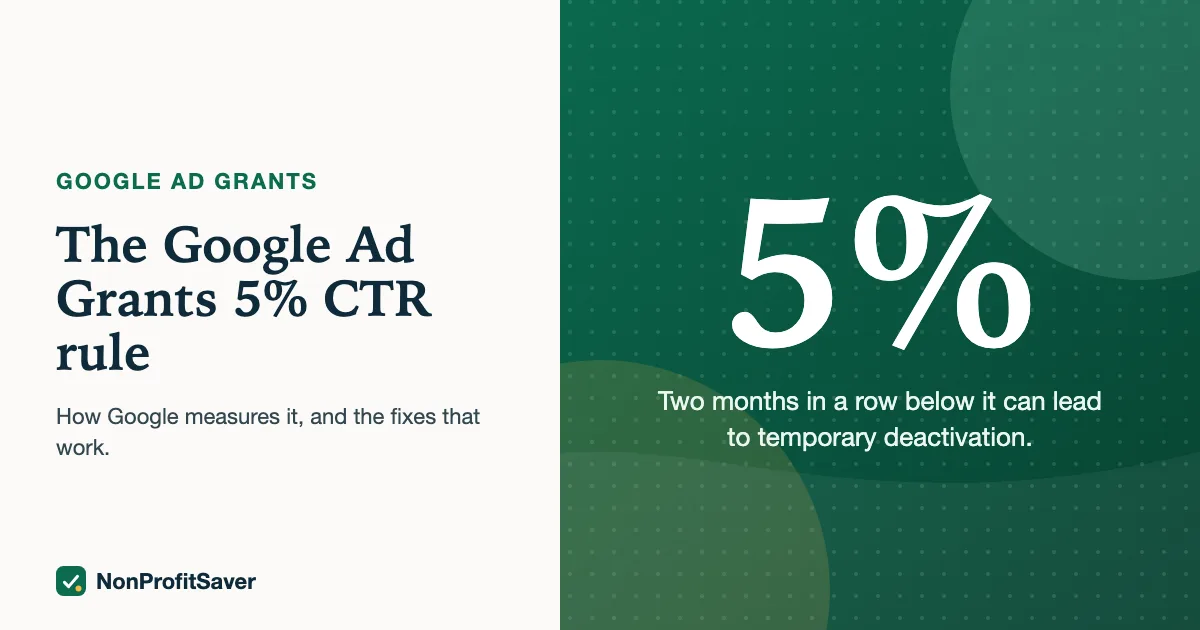
Google Ad Grants accounts must keep a click-through rate (CTR) of at least 5% each month, measured across the whole account. Google's program policies say missing it two months in a row can lead to temporary deactivation, as of October 2026.
CTR is clicks divided by impressions. If your ads showed 2,000 times this month and got 90 clicks, your CTR is 90 ÷ 2,000 = 4.5%, and you need about 10 more clicks, or fewer wasted impressions, to reach 5%.
Who the rule applies to, and what Google doesn't define
Google's wording, as of October 2026, is that Ad Grants accounts "that are not exclusively using Smart campaigns" must keep the 5% rate, "at the account level, not necessarily each keyword". So an account that runs only Smart campaigns isn't held to it, but almost every account run in Expert Mode is, and one standard search campaign is enough to bring the whole account under the rule.
What Google's pages don't spell out: whether "each month" means the calendar month or a rolling 30 days, and how close to the line is safe. We treat it as the calendar month, check month-to-date, and aim well above 5% rather than at it.
Why accounts fall below 5%
- Broad or vague keywords. Searches that only loosely match your page show your ad to people who won't click.
- Ads that don't repeat the search. If someone searches "how to start a food pantry" and your headline says "Welcome to Hope Center", they skip it.
- One ad group for everything. Every search lands on the same generic ad and homepage.
- A few high-impression keywords. One keyword with thousands of impressions and a 1% CTR can drag down the whole account.
The fixes, in order of payoff
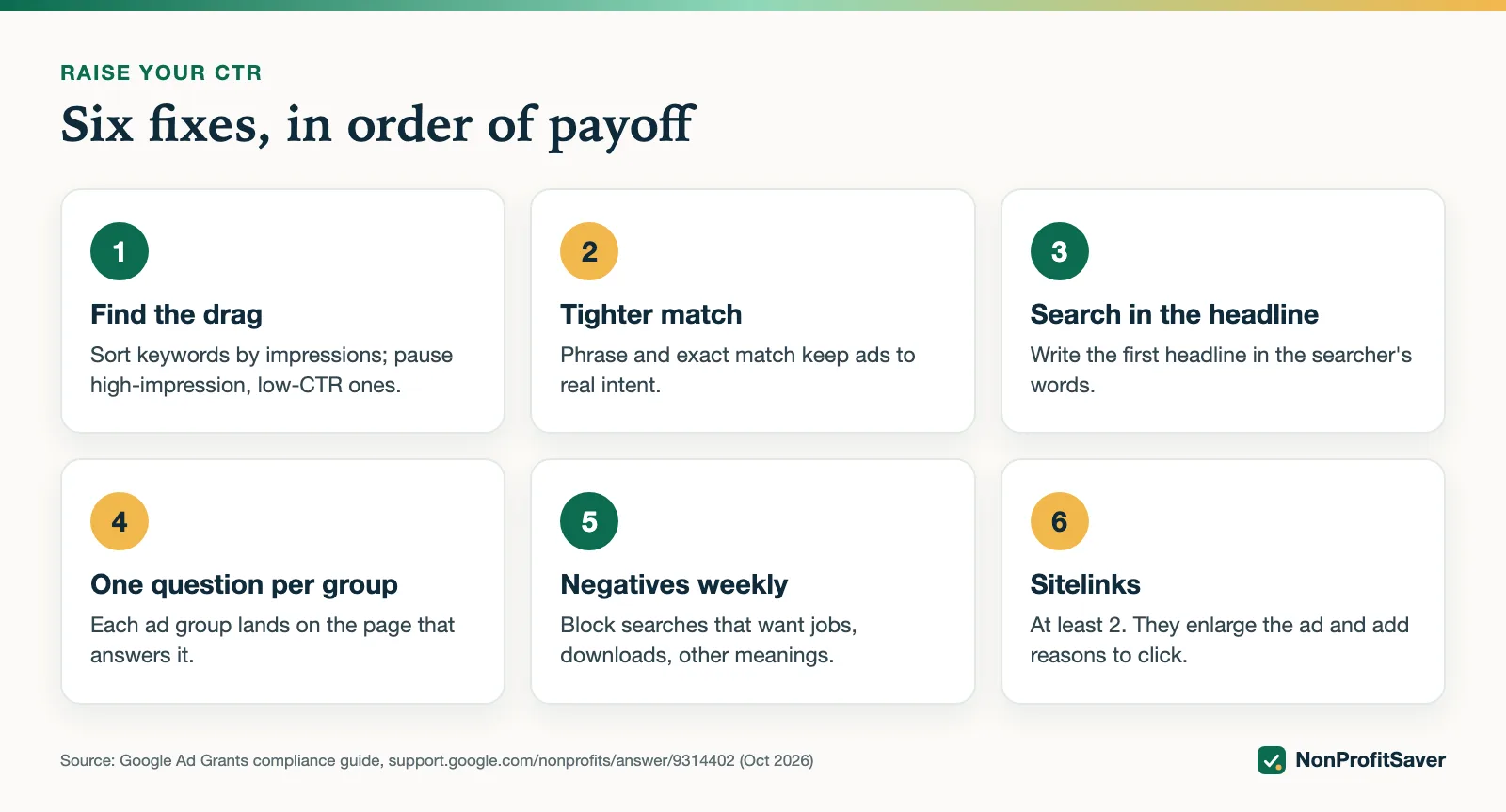
1. Find the keywords that drag the average down. In Google Ads, open Keywords, sort by impressions, and look at the top ones with CTR under 5%. Google's compliance guide suggests reviewing the last 7 active days and pausing high-impression, low-CTR keywords until the filtered total reads at least 5%.
Google's steps, in order: set the date range to the last 7 days your ads had impressions; filter to all enabled keywords; add the CTR column; sort by impressions, highest first; pause from the top down the keywords with high impressions and low CTR; stop when the row Google calls "Total: filtered keywords" reads at least 5%. Pausing isn't deleting. You can rewrite a paused keyword and its ad, then turn it back on.
2. Use phrase and exact match. Broad match shows ads for loosely related searches. Phrase and exact match keep impressions to people searching what you answer. Broad match is the default if you add a keyword without formatting, and Google's tips page (as of October 2026) gives the example of "bears" matching "chicago bears" and "collectible teddy bears". It suggests more specific phrases such as "protect bears". Choosing and matching keywords in depth: Ad Grants keywords.
3. Put the search in the first headline. Write headlines in the searcher's words: "How to Start a Food Pantry", not your organization's name. Google's tips page notes a limit of 3 enabled responsive search ads per ad group and suggests aiming for an Ad Strength of "Good" or "Excellent".
4. One question per ad group. Each ad group covers one tightly related set of searches and lands on the page that answers them. Ad Grants requires at least 2 ad groups per campaign anyway.
5. Add negative keywords. Check the Search terms report weekly and block searches that want something else: jobs, free downloads, a different city, a different meaning of your words. How to read that report: Ad Grants search terms.
On Storyline' Spanish SENT campaign, posted on 23 October 2026, we added 29 negative keywords before it went live. It's too early to say what that does to CTR; we mention it only to show negatives can be added before the first impression, not just after.
6. Add sitelinks. Ad Grants requires at least 2. They make the ad larger and give people more reasons to click.
A worked example
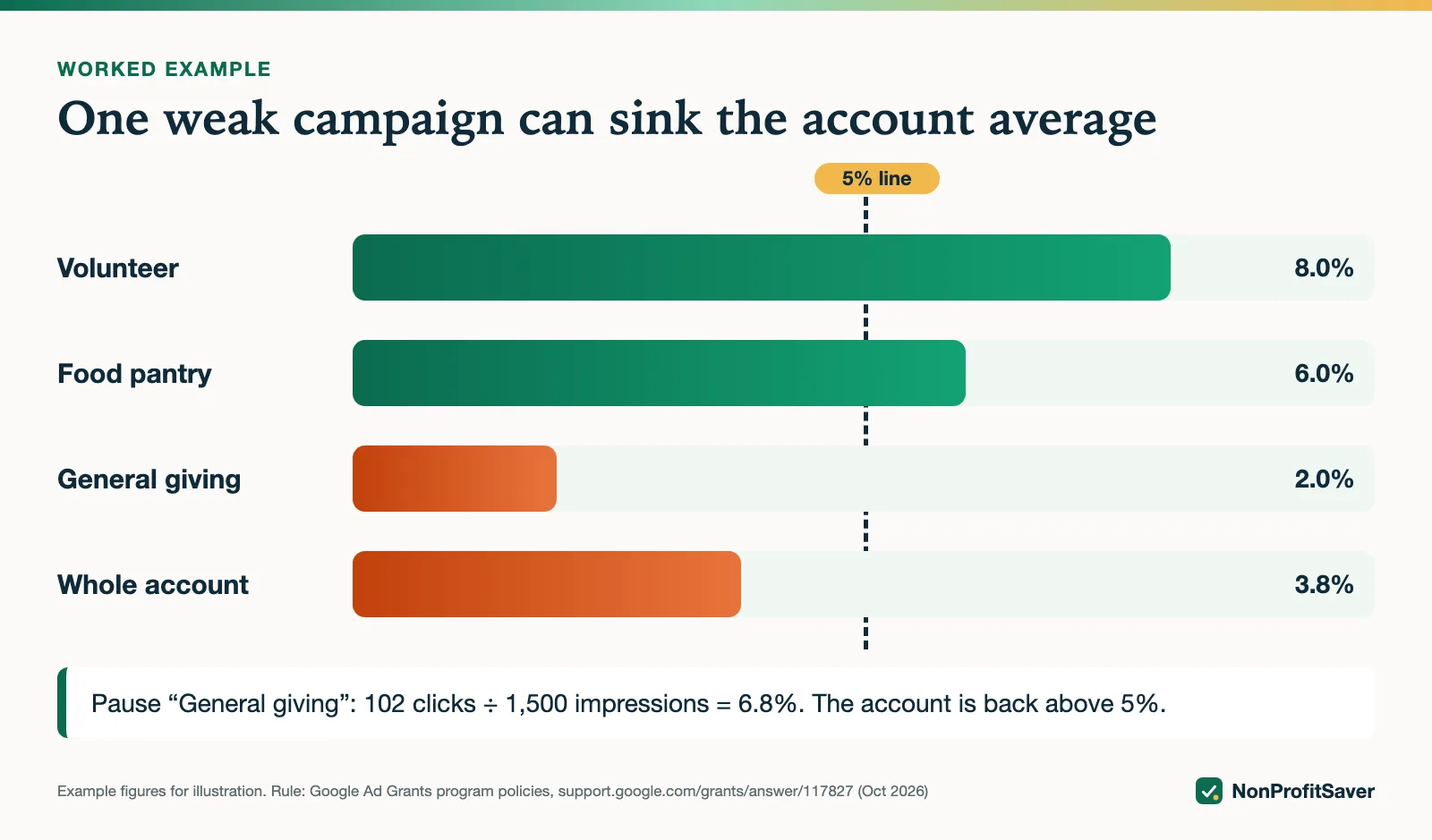
Suppose this month so far:
| Campaign | Impressions | Clicks | CTR |
|---|---|---|---|
| Volunteer | 600 | 48 | 8.0% |
| Food pantry | 900 | 54 | 6.0% |
| General giving | 2,500 | 50 | 2.0% |
| Account | 4,000 | 152 | 3.8% |
Pausing "General giving" leaves 1,500 impressions and 102 clicks: 102 ÷ 1,500 = 6.8%. Rewriting it around specific searches might rescue it, but pausing it first protects the account.
Pausing isn't the only way, and it helps to know how much you need. Suppose it's the middle of the month, the account sits at the 3.8% above, and you expect about the same again, 4,000 more impressions, by month end:
- Clicks needed for the month: 8,000 impressions × 5% = 400 clicks.
- Clicks you have: 152. Clicks still needed: 400 − 152 = 248.
- CTR needed for the rest of the month: 248 ÷ 4,000 = 6.2%.
In the example, the two good campaigns run at 6% and 8%, so 6.2% is within reach only if most of the rest of the month's impressions come from them. That's the arithmetic behind pausing the weak campaign first.
How to watch it
- Month to date, every week. Add up clicks and impressions for the month so far, not the last 7 days, since the rule is monthly.
- Two months, not one. One month under 5% is a warning. Google's deactivation trigger is two consecutive months, so a bad first month is the time to act.
- New campaigns. A new campaign with broad keywords can add thousands of impressions in its first week. Check it after a few days.
If you're already deactivated
Fix the cause, then submit Google's reinstatement form from the Ad Grants help center. During reinstatement Google allows Maximize clicks to rebuild CTR, then expects you to move back to conversion-based bidding once you have enough conversions. More: Google Ad Grants requirements, and the full process in Google Ad Grants reinstatement.
Our Google Ad Grants Kit ($97 once, early access; sales haven't opened yet) includes a weekly check that flags the keywords pulling your CTR down. You can do the same check by hand in about 15 minutes, following the steps above.
Frequently asked questions
How is the Ad Grants 5% CTR calculated?
Clicks divided by impressions across the whole account for the month. A keyword below 5% is fine if the account as a whole stays at 5% or more.
What happens if my Ad Grants CTR is below 5%?
Google says missing the 5% rate for two consecutive months can lead to temporary deactivation. You can request reinstatement once you've fixed the cause.
Does a low CTR on one campaign hurt the account?
It pulls down the account average. Campaigns with many impressions and few clicks matter most, because they weigh most in the total.
Related guides
- Google Ad Grants for Nonprofits: How It Works, the Rules and the Catch
- Google Ad Grants for Churches: Who Qualifies and What Paperwork Works
- How to Apply for Google Ad Grants, Step by Step
- Google Ad Grants Requirements: The Compliance Checklist
This guide is general information, not legal, tax, or financial advice. Prices change; see each linked source. Report a correction.