Managing Google Ad Grants: Do It Yourself, Hire an Agency, or Use a Kit
By Mike Krieg · Updated October 23, 2026
You can manage a Google Ad Grants account yourself, pay an agency, or use a kit that does part of the work. All three can keep an account compliant. The difference is who spends the time and how much it costs. This guide compares them so you can choose.
Plain about our interest: NonProfitSaver makes the Google Ad Grants Kit ($97 once, early access; sales haven't opened yet). We've tried to describe the other two options fairly, including when they're the better choice.
What the work actually is
Whoever runs the account does the same things:
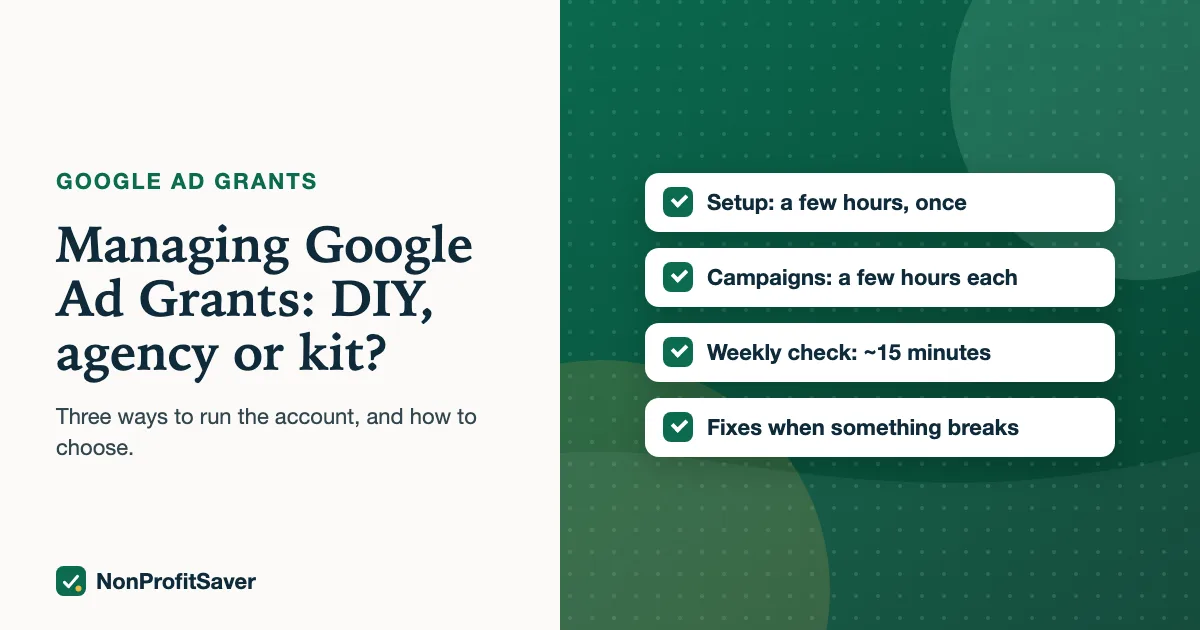
- Setup: Google for Nonprofits, Ad Grants activation, conversion tracking. A few hours, once.
- Campaigns: keyword research, ad groups, ads, sitelinks, all within the Ad Grants rules. A few hours per campaign.
- Weekly check: click-through rate, conversions, Quality Score, search terms. About 15 minutes.
- When something breaks: a stalled account, a CTR dip, a disapproved ad, a deactivation.
- Google's paperwork: the program survey, which Google's compliance guide says is sent each year to the login email addresses on the account (as of October 2026). If it goes to someone who has left, nobody answers it.
What "a few hours per campaign" means in practice: Storyline' Spanish SENT campaign, posted on 23 October 2026, has 4 ad groups, 38 keywords, 29 negative keywords, 8 ads and 4 sitelinks. Every one of those had to be researched, written within Google's character limits and checked against the rules before posting. That's the size of a modest single-topic campaign.
The weekly check adds up too. At 15 minutes a week: 15 × 52 = 780 minutes, or 13 hours a year. That's the number to compare with an agency's annual fee (monthly fee × 12), alongside the setup and campaign work.
One thing every option should include: reading the change history
Google's mission-based campaigns policy says keywords that break the rules "are subject to automatic status changes" and can be paused without notice, with the changes recorded in the account's Change history. Google also says you can appeal a keyword status change you think was a mistake. So whoever manages the account should look at Change history, not just the performance numbers, or a keyword Google paused can sit unnoticed for months.
Option 1: Do it yourself with Google's help center
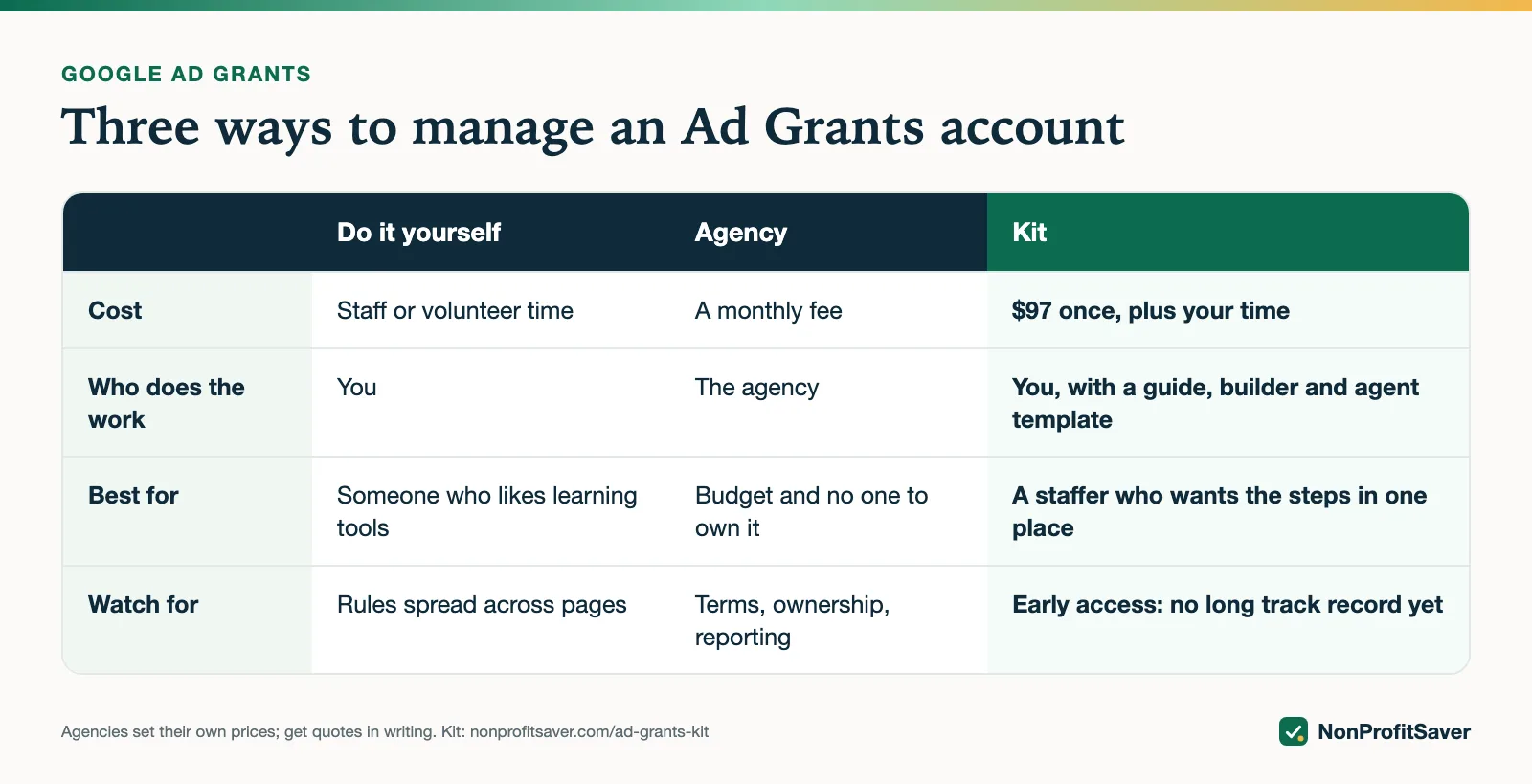
Cost: staff or volunteer time. Best for: someone organized who likes learning tools.
Google's Ad Grants help center is free and explains every rule. The risk is that rules are spread across several pages, and a missed one (a single-word keyword, a campaign with one ad group) can cost the account. Set a weekly calendar reminder, so a problem gets caught within days rather than at the end of a second bad month.
Option 2: Hire an agency
Cost: a monthly fee. Agencies set their own prices and many don't publish them, so get quotes in writing. Best for: organizations with budget and no one on staff to own the account.
Good agencies bring experience across many accounts and handle the weekly work. Before you sign, ask:
- What's the monthly fee, the minimum term and the notice period?
- Will the account stay in our organization's name, with us as admin, and can we remove you at any time?
- What do you report each month, and does it include conversions, not just clicks?
- How do you keep us above 5% CTR, and what happens if we're deactivated?
Ask for two references from nonprofits whose grant accounts they manage now.
Google runs a Certified Professionals program. Its Ad Grants page says, as of October 2026, that "Our Certified Professionals are dedicated to nonprofits and have in-depth knowledge of Google Ad Grants requirements", and links to a directory of certified agencies. Google's page doesn't publish what they charge. We cover the program in Google Ad Grants Certified Professionals.
Red flags worth walking away from: a promise to spend the full $10,000 every month, a guaranteed number of conversions, or a contract where the agency owns the account. Google's Ad Grants terms reserve the right to grant or deny participation "at any time, for any reason", so nobody can guarantee the grant itself.
On access: Google's account access page says to sign in with an admin email from your Google for Nonprofits account, and that a personal Gmail address won't give access to the grant account. Keep at least one admin login under an address your organization controls, and give an agency its own access rather than sharing yours.
Option 3: Use a kit
Cost: a one-time price plus your time. Best for: a staff member or volunteer who will do the work but wants the steps, rules and tools in one place.
Our kit includes a setup guide, a compliance checklist, a campaign builder that refuses anything that breaks the Ad Grants rules, a keyword research method and a weekly check template. It also includes an optional AI agent template for Claude Code (a paid Anthropic product) that drafts campaigns and runs the weekly check, with nothing going live without your approval.
The catch: it's still your time, and it's early access, and sales haven't opened yet. It's built on the workflow we use for Storyline' own Ad Grants account (the nonprofit that runs alongside NonProfitSaver), whose campaigns went live in October 2026. We can show the method, not months of results yet.
What Storyline has done so far: its first campaigns went live in October 2026 and showed about a dozen impressions in their first days, under the status "Eligible (Limited): conversion tracking setup is incomplete". On 23 October 2026 it switched bidding to Maximize clicks with a $2 per-click limit. That switch was allowed only because Storyline's account was created in December 2017, before the April 2019 bidding rule; newer accounts can't copy it. We'll report what it does once there are enough numbers. The kit's campaign files are imported with Google's free Google Ads Editor.
How to choose
| If... | Consider |
|---|---|
| Someone on your team has a few hours a month and likes learning | Do it yourself, or a kit if you want the steps in one place |
| No one can own it, and you have budget | An agency, with the questions above |
| You've been deactivated before and aren't sure why | An experienced agency, or the reinstatement steps in Google's help center |
| You already use Claude Code | The kit's agent template does the drafting and checking for you |
Whatever you choose, keep the account in your organization's name with your own admin access, and look at the numbers at least once a month yourself.
Frequently asked questions
Do I need an agency for Google Ad Grants?
No. Google's Ad Grants help center explains every rule for free, and many small nonprofits run their own account. An agency saves staff time and brings experience, at a monthly fee.
How much time does Ad Grants take each week?
Once campaigns are built, a weekly check of click-through rate, conversions, keywords and search terms takes about 15 minutes. Setup and the first campaigns take a few hours.
What should I ask an Ad Grants agency?
What they charge and for how long, whether you own the account and can remove them, what they report each month, and how they keep the account above the 5% click-through rate.
Related guides
- Google Ad Grants for Nonprofits: How It Works, the Rules and the Catch
- Google Ad Grants for Churches: Who Qualifies and What Paperwork Works
- How to Apply for Google Ad Grants, Step by Step
- Google Ad Grants Requirements: The Compliance Checklist
This guide is general information, not legal, tax, or financial advice. Prices change; see each linked source. Report a correction.