Google Ad Grants Eligibility: Who Qualifies, Who Doesn't, and What to Do If You're Refused
By Mike Krieg · Updated October 23, 2026
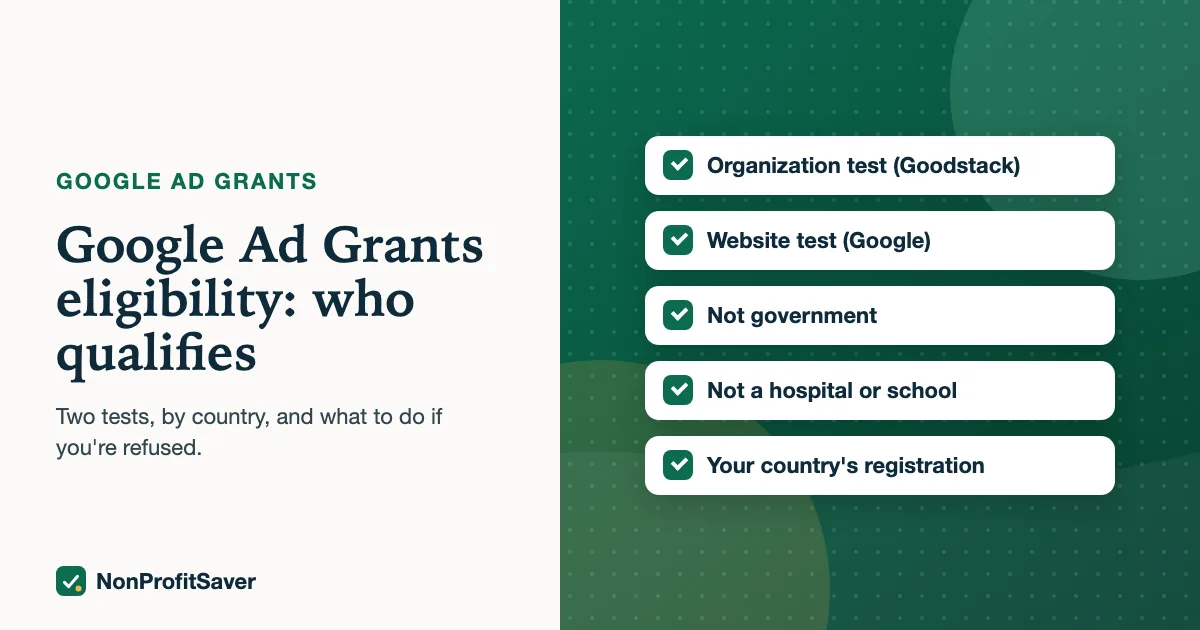
Your organization is eligible for Google Ad Grants if it passes two checks: it qualifies for Google for Nonprofits as a registered charity in a supported country, and its website meets Google's Ad Grants website policy. Government bodies, hospitals and schools are excluded, and in the US you need IRS-recognized 501(c)(3) status or a qualifying group exemption.
This guide explains each test by country and organization type, including the cases that trip people up (churches, chapters, fiscally sponsored projects), and what to do if you're refused. Everything links to Google's pages as of October 2026. If they and this guide disagree, Google's pages win.
The two tests
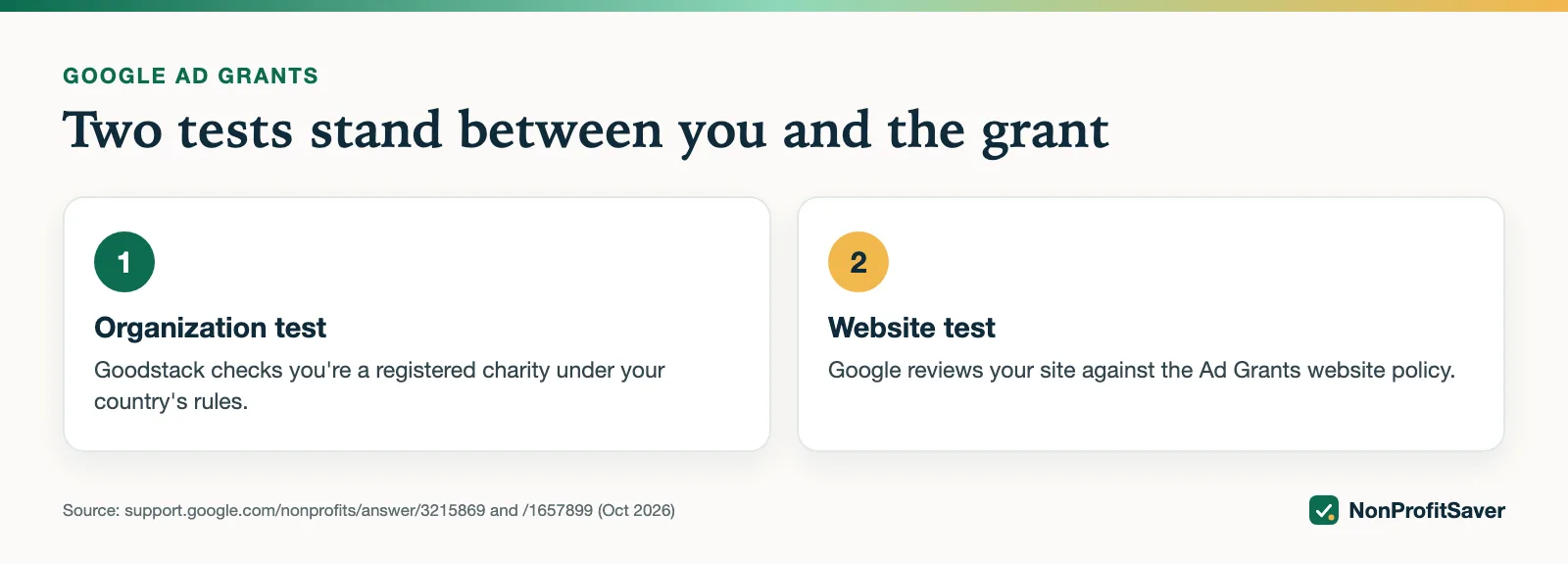
There's no standalone "Ad Grants eligibility form." Eligibility is checked twice:
- Organization test. When you request a Google for Nonprofits account, Goodstack checks that you're a registered charity under your country's rules.
- Website test. When you submit the Ad Grants activation request, Google reviews your website against its Ad Grants website policy.
Passing the first doesn't guarantee the second. Google's Goodstack page says approval only gives you access to the console "where individual Google tools must be activated separately."
The organization test
Google's eligibility guidelines say an organization must, as of October 2026:
- be registered as a charitable organization in one of the listed countries or regions, and be verified by Goodstack;
- meet the requirements of its own country or region;
- agree to the Google for Nonprofits Additional Terms of Service.
Who is excluded everywhere
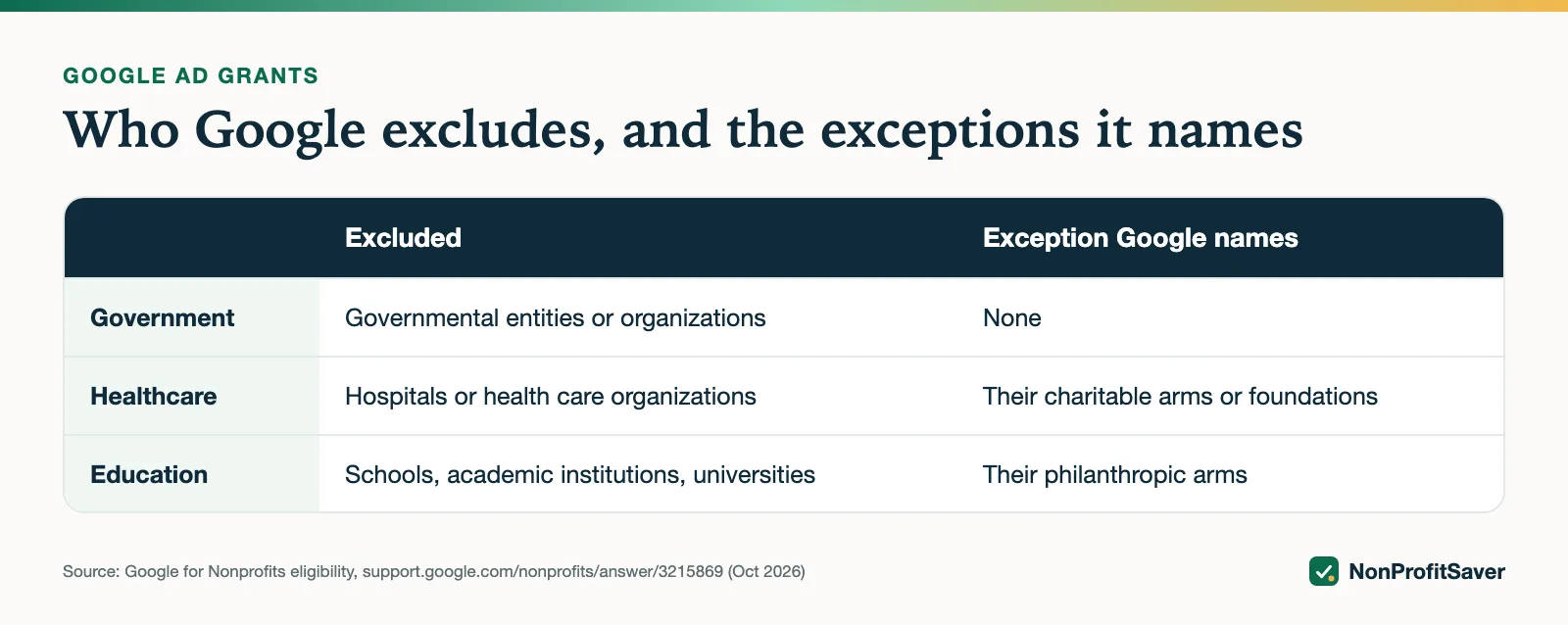
The same page lists three types that are not eligible in any country:
| Excluded | Exception Google names |
|---|---|
| Governmental entities or organizations | None |
| Hospitals or health care organizations | "Charitable arms or foundations associated with healthcare organizations are eligible" |
| Schools, academic institutions or universities | "Philanthropic arms of educational organizations are eligible" (schools are pointed to Google for Education) |
So a hospital foundation or a university's separately registered fund can qualify even though the hospital or university can't.
The terms you agree to
The Additional Terms require, among other things, that "Your organization does not discriminate against any person or group of people in either hiring/employment practices or in the administration of programs and services," and that the information you submit is true and current. Read them before you apply. We don't draw legal conclusions about how that clause applies to any organization; if it raises a question for you, ask your attorney.
Eligibility by country
Google says that if a country isn't listed, "we haven't launched Google for Nonprofits in that location yet," and that "Not every product may be available in every country." The country list sits in a drop-down on the eligibility page; Google's own summaries of its reach differ (its About page says "200+ geographies," its FAQ says "180+"). Choose your country there to see its rules; we quote only the US rules here, because those are the ones we could check word for word. In the US, as of October 2026, Google accepts organizations registered with the IRS as exempt under Section 501(c)(3), or group-exempt organizations with proven affiliation to a central nonprofit that has 501(c)(3) status. Even when your country is listed, log in to confirm Ad Grants itself is offered there.
The US in detail
501(c)(3) organizations
The standard case. You need IRS recognition of 501(c)(3) status, and Goodstack will match your EIN and legal name against IRS records. 501(c)(4), (c)(6) and other exempt types aren't named as eligible on Google's US page.
Group-exempt organizations and chapters
Google's group exempt, chapter and fiscal sponsorship page separates two cases:
- Group-exempt organizations "must supply their own EIN, and documentation showing their group exemption number and that they are affiliated with a central organization that has 501c3 status." Once verified, they activate products independently of the others under the same exemption.
- Chapters that use the parent's exemption and have no separate legal entity "must use their parent 501c3 documentation and be officially recognized as a branch/chapter by the central organization."
Fiscally sponsored projects
Not eligible. The same page says fiscally sponsored organizations "that do not have their own 501(c)(3) status and are not covered by group exemption are not eligible for Google for Nonprofits." Google's pages don't describe any other route for a fiscally sponsored project. The usual way to qualify is for the project to obtain its own 501(c)(3) recognition, which is a legal decision to make with a CPA or attorney.
Churches and religious organizations
Google's eligibility page doesn't list religious organizations among the excluded types. In the US the issue is paperwork. Google's US tax-exempt page says:
Some types of organizations in the United States, such as churches, that meet the requirements of IRC section 501(c)(3) are automatically considered tax exempt and are not required to apply for and obtain recognition of tax-exempt status from the IRS. In order to be eligible for Google for Nonprofits, organizations must obtain recognition of 501(c)(3) tax-exempt status from the IRS.
It adds that organizations "not registered with the IRS and not listed in the IRS's online publication of tax exempt organizations aren't eligible," and that churches covered by a group exemption may still qualify. In practice:
- A church with its own IRS determination letter applies like any 501(c)(3).
- A church on its denomination's group ruling applies with its own EIN, the group exemption number and proof of affiliation.
- An independent church that never applied for recognition isn't eligible on Google's current US pages. Applying for recognition is a legal and tax decision; talk to a CPA or attorney first.
You can check how the IRS lists you with its Tax Exempt Organization Search. The church-specific angle, including what a church can usefully advertise, is in Google Ad Grants for churches and church eligibility for nonprofit discounts.
The website test
Google's website policy is the most common reason a verified nonprofit is refused Ad Grants. The headline rules, as of October 2026:
- You own the domain and it hosts your site directly. It "cannot automatically redirect visitors to a different web address, a third-party platform (like a donation portal), or a social media page." A .org isn't required.
- Substantial, original content about your mission and programs. Google names thin pages, copied text, "Under Construction" pages and relying on PDFs as pitfalls.
- A clear mission, with Google suggesting your physical address and EIN or tax ID on the site.
- Working navigation and links, including donation buttons.
- HTTPS across the whole site, with no mixed content.
- Limited commercial activity. A shop is acceptable if it isn't the main focus and you explain how proceeds support your programs. No AdSense or excessive third-party ads.
Google's page also mentions speed and mobile design. Run your home, about and programs pages through PageSpeed Insights before you submit.
If you're refused
Find out which test you failed; the fix is different.
Goodstack said "Not eligible." Read its email from verifications@mail.goodstack.org. Google's Goodstack page gives two routes: appeal through Goodstack's form with updated documents, or fix the cause and submit a new request. Common causes are a name or address that doesn't match the registry, or Goodstack being unable to confirm you work for the organization.
Ad Grants activation "needs work" or was declined. Google's status page says to click Learn more for what's required. For website reasons, Google's policy page has a table of rejection reasons and says to "Address all potential issues before resubmitting your activation request." There is no limit on reapplying that we could find, and no fee.
Something else. Google keeps discretion: it "reserves the right to grant or deny an organization's application or participation at any time, for any reason." If you can't tell why, ask in the Google for Nonprofits community or through Google's contact page.
Eligibility can also be lost. Google's suspended accounts page says accounts are subject to suspension if an organization loses its nonprofit status or is found not to meet the criteria. Keeping an active grant is a separate set of monthly rules, covered in Google Ad Grants requirements.
Next steps
If you qualify, apply: how to apply for Google Ad Grants. Everything there is free. If you'd like a guide, rules checklist and campaign builder for running the account once approved, our Google Ad Grants Kit is $97 once (early access; sales haven't opened yet). Plain about our interest: it's our paid product, and it won't make an ineligible organization eligible.
Frequently asked questions
Is there a Google Ad Grants eligibility form?
Not a separate one. Eligibility is checked in two steps inside Google for Nonprofits: Goodstack verifies your organization when you request an account, then Google reviews your website when you submit the Ad Grants activation request.
Are fiscally sponsored projects eligible for Google Ad Grants?
Not in the US. Google says fiscally sponsored organizations without their own 501(c)(3) status that aren't covered by a group exemption are not eligible for Google for Nonprofits, and so can't activate Ad Grants.
Can a church without an IRS determination letter get Google Ad Grants?
Google's US pages say no, unless it's covered by a group exemption. Churches are tax-exempt automatically under IRS rules, but Google says organizations must obtain IRS recognition of 501(c)(3) status, and those not listed in the IRS's online publication aren't eligible.
Related guides
- Google Ad Grants for Nonprofits: How It Works, the Rules and the Catch
- Google Ad Grants for Churches: Who Qualifies and What Paperwork Works
- How to Apply for Google Ad Grants, Step by Step
- Google Ad Grants Requirements: The Compliance Checklist
This guide is general information, not legal, tax, or financial advice. Prices change; see each linked source. Report a correction.